 Pagal World
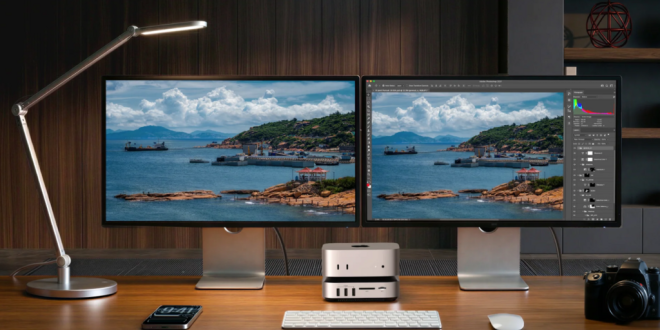
Gaming hardware conversations tend to focus on the obvious stars of the show. Graphics cards dominate headlines, processors attract benchmark battles, and high-refresh-rate monitors are treated as essential upgrades for anyone serious about smooth play. Yet there is another category of hardware quietly becoming more relevant in modern gaming setups, especially as players move between work, study and play on the same machine: the docking station.
For a long time, docking solutions were associated mainly with office workers and productivity users. They were seen as tools for connecting laptops to monitors, keyboards and ethernet in a professional environment. But that perception no longer tells the full story. As gaming habits evolve, devices become more versatile, and desk setups grow more ambitious, the role of connectivity has changed dramatically. A well-chosen docking station can now have a meaningful effect on convenience, organisation, responsiveness and the overall quality of the gaming environment.
That shift is especially visible among players who rely on gaming laptops, hybrid work-and-play machines, handheld gaming PCs, creator-focused rigs or compact desktop setups. These users often need fast data access, multiple peripherals, cleaner cable management and easy switching between different modes of use. In that context, the appeal of a more advanced solution, such as a thunderbolt 5 docking station, becomes much easier to understand.
The gaming experience today is no longer defined purely by what happens on screen. It is shaped by the entire ecosystem around the player: display setup, audio chain, input devices, storage access, streaming tools, charging convenience and how quickly the system can adapt to different scenarios. That is exactly where docking hardware begins to matter more than many gamers realise.
Modern gaming setups are more complex than ever
Gaming used to be relatively simple from a hardware perspective. One monitor, one console or one desktop PC, one headset and perhaps a controller. Today, even a modest gaming environment often includes far more components. A single desk might feature a laptop or desktop, a primary monitor, a secondary display, a wireless headset dongle, an external SSD, a streaming microphone, a webcam, RGB accessories, a controller charging cable, speakers, an ethernet connection and a mechanical keyboard.
Once that list starts growing, the limitations of modern devices become obvious. Thin gaming laptops and multipurpose machines often lack enough ports for everything a user wants to connect. Handheld gaming devices and portable PCs are even more restricted. Even compact desktop setups can become frustrating when access to ports is awkward or cable routing turns messy.
That is where a docking station changes the experience. Rather than forcing players to plug and unplug multiple accessories every time they sit down to game, a dock creates a central hub. It streamlines the transition from casual device to full battle station. For many users, that means less friction before playing, fewer compromises during gameplay and a desk that stays cleaner and easier to manage.
These changes may sound subtle, but in practice they shape how enjoyable a setup feels. Convenience matters. The easier it is to get into a game, connect everything you need and trust that your devices will behave consistently, the better the overall experience becomes.
Gaming today is not just about the game
One reason connectivity matters more now is that gaming itself has changed. Playing is no longer always a single-purpose activity. A typical evening session might include voice chat on Discord, a browser open for guides or maps, streaming music in the background, a second screen for chat or performance monitoring, file transfers between drives, or even content capture for clips and livestreams.
For many players, gaming is also tied to broader digital habits. The same machine may be used for work during the day, creative tasks in the evening and gaming at night. That overlap is especially common in the UK, where remote work, hybrid routines and compact home setups have made multi-use devices far more common.
In those environments, a docking station is no longer simply an accessory for office productivity. It becomes an enabler of flexibility. One cable or one central connection point can transform a desk from work mode into gaming mode with far less hassle. That kind of adaptability is increasingly valuable for people who do not have the space, budget or desire for separate dedicated systems.
Why laptop gamers especially benefit from a docking station
Laptop gaming has matured significantly in recent years. Performance levels have improved, thermal designs have become smarter and displays have become faster and more immersive. As a result, many players now rely on gaming laptops as their primary machine. But while portable gaming power has improved, laptop port selection remains one of the biggest pain points in daily use.
A gaming laptop may be powerful enough to drive external displays, run competitive titles and handle demanding downloads, but physically connecting everything is often less elegant than users would like. Ports may be limited in number, awkwardly placed or insufficient for multi-device setups. If a player wants to connect an external monitor, wired internet, mouse, keyboard, headset receiver, capture device and external storage, things can become cluttered quickly.
A docking station solves a large part of that problem by centralising connectivity. Instead of treating the laptop as a standalone device struggling to support a permanent desk setup, the dock makes it easier to treat the machine as the brain of a more complete gaming environment. Sit down, plug in, and the entire setup comes alive with less fuss.
That is particularly useful for players who alternate between mobile and desk-based use. During the day, the laptop remains portable. At home, it becomes part of a larger, more powerful-feeling ecosystem. That transition is where a dock proves its value.
The overlooked impact of cable management on gaming comfort
Cable management might sound like an aesthetic concern rather than a gaming one, but anyone who has spent time in a cluttered setup knows it affects more than appearance. A tangle of cables around a desk makes everything feel less organised, less premium and often less reliable. Reaching for the right cable, tracing device issues or navigating around a crowded setup adds unnecessary friction.
A docking station helps reduce that chaos by consolidating connections into a more controlled structure. Monitors, storage devices, ethernet and accessories can remain connected to a central point, rather than each demanding a separate direct path to the system. The result is a tidier desk, easier troubleshooting and a gaming space that feels more intentional.
That matters because physical environment influences immersion. A setup that feels smooth, clean and dependable makes the player more likely to enjoy spending time there. This is especially relevant for gamers who also stream, create content or care about the visual presentation of their desk in general.
Faster access, cleaner switching and a more console-like simplicity
One of the reasons console gaming has remained so appealing is the simplicity of the experience. Sit down, power on and play. PC gaming, for all its advantages, can sometimes feel less immediate. There are more peripherals, more software layers and more setup variables.
A docking station does not turn a PC into a console, but it can push the experience in a more convenient direction. It reduces the number of steps required to move from inactive desk to full gaming setup. That is especially appealing for users who value low-friction routines. If connecting to the monitor, ethernet, keyboard, speakers and charging setup all happens through one central system, the environment feels faster and more seamless.
This can be surprisingly important for casual sessions. Not every player wants to commit to long gaming marathons every time they sit down. Sometimes the difference between playing for an hour and not playing at all is how easy the setup is to activate.
Why connectivity quality matters for competitive and online players
Not every gamer plays competitively, but for online titles, system consistency matters. Reliable wired networking, fast peripheral access and a stable display chain all contribute to a more dependable playing environment. While raw in-game performance still depends on CPU, GPU and memory, the surrounding infrastructure affects how smooth the total experience feels.
A docking station can support that environment by helping users integrate wired ethernet more easily, manage external storage for game libraries or clips, and keep essential accessories permanently connected. For users with limited laptop ports, that is particularly valuable. It removes the compromise between convenience and performance.
As online games continue to dominate a large part of the market, especially in genres such as shooters, racers, MMOs and co-op action titles, players are more aware of setup quality than before. They may not always think first about connectivity hardware, but once they experience a more organised, stable desk environment, its value becomes hard to ignore.
The rise of handheld gaming PCs and compact gaming ecosystems
Another reason dock-based gaming setups are gaining relevance is the growth of handheld gaming PCs and compact systems. Devices in this category blur the line between portable and desktop gaming. They are built for flexibility, but to unlock their full potential, many users want to connect them to monitors, controllers, keyboards, ethernet and power at home.
That is a perfect example of where a docking station becomes highly relevant to gaming rather than merely convenient. A dock allows a small gaming device to shift into a more complete living room or desktop experience without constant cable swapping. Players can enjoy portability on the move and a fuller setup at home.
As more consumers embrace compact gaming ecosystems rather than huge tower builds, connectivity hubs become more central to the experience. They are no longer side accessories. They are the bridge between mobility and performance.
Why a thunderbolt 5 docking station points to the next stage of gaming setups
As setups become more ambitious, standard connectivity is not always enough. Players increasingly expect support for multiple high-resolution displays, rapid external storage access, fast transfer speeds and dependable bandwidth across multiple connected devices. That is where a more advanced solution such as a thunderbolt 5 docking station starts to stand out.
The relevance of a thunderbolt 5 docking station is not just about having the latest spec for its own sake. It reflects the needs of users whose gaming environment overlaps with creative work, streaming, media editing or premium desk setups. A gamer capturing footage, editing clips, moving large files and switching between demanding peripherals needs more than basic connectivity. They need throughput, flexibility and room to grow.
Even for players who are not pushing professional-level workflows, future-facing connectivity matters. Buying into a more capable ecosystem can help ensure that the setup continues to support new monitors, faster storage devices and more demanding accessories over time. In that sense, a thunderbolt 5 docking station is not simply about current convenience. It is also about extending the lifespan and usefulness of the wider desk setup.
Multi-screen gaming environments are becoming more normal
The single-monitor gaming setup is far from dead, but more players now use multiple displays for practical reasons. One screen may handle the game while another shows chat, maps, system stats, music controls or streaming dashboards. For sim racing and flight setups, display demands can become even more elaborate.
Supporting this kind of environment cleanly requires a thoughtful approach to connectivity. A docking station can simplify how monitors and accessories are integrated into a setup, particularly when the gaming machine is not a large tower with every port imaginable. For gaming laptops and compact systems, this matters a great deal.
A more advanced dock can also make it easier to maintain order in a setup where many devices compete for bandwidth and desk space. That becomes increasingly relevant as players build out more personalised gaming stations designed not only for playing, but for communication, content and multitasking.
Gaming peripherals deserve a stable home base
One underrated benefit of a docking station is that it gives gaming peripherals a more permanent and predictable place in the setup. Rather than constantly moving receivers, unplugging storage or switching cables between devices, the user builds a more stable ecosystem. Keyboard, mouse, headset receiver, controller charger and external drives remain part of a unified environment.
That is good for convenience, but also for habit formation. The less time a player spends reconfiguring accessories, the more likely the setup is to feel intuitive and satisfying. Small annoyances disappear. Muscle memory improves. Desk transitions feel cleaner. It is one of those improvements that sounds minor until you experience the cumulative effect over weeks and months.
Streaming, clipping and gaming all benefit from stronger desk connectivity
Gaming is more social and content-driven than ever. Many players no longer simply play games; they clip highlights, stream sessions, record reactions, edit short videos and upload content across multiple platforms. Even users who do not consider themselves creators may still store footage, move screenshots between devices or use external drives for media-heavy game files.
That puts extra pressure on the connectivity layer of the setup. It is not just about supporting the game anymore. It is about supporting everything around the game. A docking station becomes useful here because it creates an easier pathway for capture devices, microphones, storage and displays to coexist in one setup.
For users pushing heavier workflows or trying to keep their environment ready for both play and content tasks, a thunderbolt 5 docking station becomes especially attractive. It supports the broader reality of modern gaming, where the player is often also a communicator, editor, streamer or multitasker.
The gaming desk is now part of the experience itself
The popularity of desk setup culture has changed what players expect from their environment. Gaming desks are no longer just somewhere to place a monitor and keyboard. They are now personal spaces shaped around comfort, aesthetics, immersion and performance. Lighting, monitor placement, audio arrangement and accessory layout all matter.
In that world, connectivity hardware matters too. A cluttered, inconsistent setup undermines the premium feeling many users want from their gaming environment. A docking station helps support a cleaner, more cohesive desk. That has practical value, but it also shapes how satisfying the setup feels as a place to spend time.
The best gaming upgrades are not always the flashiest. Sometimes they are the pieces that remove friction, add flexibility and make everything else work better together. Connectivity solutions increasingly fall into that category.
Choosing the right setup for better gaming, not just more hardware
Not every player needs the most advanced dock available. The right choice depends on the device, the number of peripherals, the type of games played and how the setup is used outside gaming. But what matters is recognising that connectivity is now a real part of the gaming experience, not a background issue to be ignored until something becomes inconvenient.
A good docking station can help players create a more comfortable, more organised and more flexible environment. For some, that means getting more from a gaming laptop. For others, it means building a cleaner desk around a handheld gaming PC, compact machine or hybrid work-and-play setup. And for users with more ambitious demands, a thunderbolt 5 docking station represents the kind of forward-looking infrastructure that can support increasingly advanced gaming ecosystems.
UGREEN is among the brands operating in this space, serving users who want practical, modern connectivity solutions that fit naturally into high-function home setups. As gaming spaces continue to overlap with workspaces, creator desks and everyday digital life, well-designed connectivity hardware is becoming more relevant than ever.
Conclusion
Gaming in 2026 is about more than frame rates alone. The quality of the overall setup — how cleanly it connects, how quickly it adapts and how comfortably it supports long sessions — plays an increasingly important role in the experience. That is why the docking station deserves more attention in gaming conversations than it often receives.
For players using laptops, compact devices or multi-purpose machines, a docking station can help turn a good system into a far better desk experience. It simplifies connectivity, reduces cable clutter, improves convenience and supports the wider ecosystem that modern gaming depends on. For users who want stronger performance, greater flexibility and a setup ready for more demanding workflows, a thunderbolt 5 docking station points toward the next step.
The best gaming setups are not only powerful. They are also smooth, practical and enjoyable to use every day. In that sense, connectivity is no longer a background detail. It is part of what makes a modern gaming environment truly work.